Capability guide
AI video generation in Blender, without leaving the file
An AI video generator for Blender usually means exporting and re-importing by hand. In Mixar the scene, the references and the clip share one file.
Every AI video generator worth using takes reference images, and every 3D artist has an unlimited supply of them.
The awkward part is the distance between the two. Mixar is a 3D editor built on Blender where video generation is a panel in the application rather than a tab in a browser, so the frames the model reads come from the scene that is already open.
What comes out the other end
The loop, and where it usually leaks#
Most first attempts look the same. Render a frame, find it in a downloads folder, upload it somewhere, write a prompt, wait, download an MP4, and then have no particular reason to put it back next to the scene it came from.
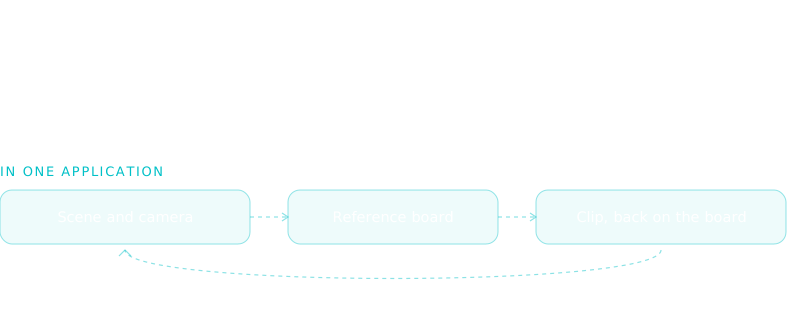
None of the top row is hard. Each hop is just a place to lose the link between the clip and its source, and that link is the value. A clip whose scene you can still open is a clip you can regenerate with a different lens or a different move.
What a generator reads from a 3D scene#
- Composition
- Where objects sit and how they overlap. Grey geometry carries this perfectly.
- Camera move
- The path over the clip, communicated as stills from along it.
- Depth
- Distance from the lens, stated with no opinion about material.
- Look
- Palette, lighting and surface. The part worth leaving to the model.
The consequence is counterintuitive: a rough, unlit, untextured scene is a better input than a finished render, because the render spends hours deciding things the model decides again anyway. That argument is worked through in blockout to video.
What ships in Mixar#
Video generation is a catalog-driven tab in the moodboard sidebar. Its models, controls and reference limits are published by the backend rather than compiled in, so the tab hides itself entirely when no video model is enabled rather than offering a button that fails.
The model behind it today is Seedance 2.5: up to nine stills and three clips per generation, 4 to 30 seconds at 480p or 720p.
Select references, or none
Any mix of stills and movies on the board. Selecting nothing is a valid text-to-video request.
Write the direction
A plain prompt field. When reference order matters, say so in words.
Set the output
Duration, resolution, aspect ratio, audio and seed, rendered from the model's own schema.
Generate
The job enters the same queue as every other generation, which reports what is running and for how long.
Get the clip back
It is added to the originating scene's moodboard and plays in place at native frame rate.
The board it all happens on
The board is a graph#
Beyond a grid of references, the canvas holds a persistent inference graph. Image, video and 3D blocks have typed inputs and an output handle, and dragging one block's output onto another's input is the whole interaction.
Which matters here for one reason: a generated clip is a block. Its output can feed the next generation, so "same shot, different look" is a drag and a new prompt rather than a re-upload.
What it will not do#
Against the bridge approach#
The other route is a bridge: an add-on, a local server and an external client wired over a protocol. That is a genuine breakthrough for scripting, and Blender MCP is worth reading if you have not.
For generation specifically its constraint is asset movement. Guide frames have to be rendered, written to disk, described and referenced by path, then the returned movie fetched and placed by something. That is a lot of plumbing for one clip. The comparison is worked through in Mixar against Blender MCP, and the wider agent surface in the AI agent for Blender pillar.
Frequently asked questions
Is there an AI video generator that works inside Blender?
Mixar is a 3D editor built on Blender with video generation as a sidebar tab, so it runs in the same application rather than alongside it. Stock Blender has none of its own, and add-on approaches generally hand the job to a browser or an external client.
Can I generate video from my 3D scene rather than a text prompt?
Yes, and results are far more predictable. Render guide frames from the scene camera, select them on the board and generate. Those frames carry composition, camera movement and depth, which are exactly what a prompt describes badly.
Does generating video block the editor?
No. It runs as a queued job alongside every other generation, and the queue reports what is running and for how long. Keep modelling while it renders.
What happens to the clip afterwards?
It moves out of temporary job storage into persistent storage and is added to the originating scene's moodboard, where it plays in place and can be exported without re-encoding. It also becomes a graph node, so it can feed the next generation.